ORA · governed AI operator · local-first
Your AI does the work.
You keep the keys.
ORA is a governed AI operator. Its security broker physically can't delete, spend, or send anything without your yes, and every action it takes lands on a tamper-evident audit chain.
Not a promise. A fail-closed broker. We run our own company on it, daily.
fail-closed · approval queue · audit chain · egress lock
$ agent> rm -rf ~/clients
■ BLOCKED: destructive (fail-closed)
▸ filed to your approval queue
$ you> REJECT
✓ Nothing happened.
audit #a41f…9c08 · hash-chained · signed
Free and open source · Apache-2.0
Start free with ORA Warden.
Warden is the open core of ORA: a fail-closed layer any AI agent connects to. It blocks destructive commands, keeps your secrets off-limits, and logs every action to a tamper-evident trail, right on your own machine. Give it to Claude, Codex, Cursor, or Cline in one line:
Works with Claude Desktop, Codex, Cursor, Cline, and Claude Code.
agent> rm -rf ~/workspace
■ BLOCKED: destructive (fail-closed)
agent> write ~/.ssh/id_rsa
■ BLOCKED: secret file
✓ everything else runs, and every action is audited.
Watch it happen
See it stop a bad command.
The agent is told to run rm -rf, the broker refuses, and the ask lands in your approval queue. Nineteen seconds, real product, staged data, unscripted behaviour.
The same gate runs live in the Warden terminal.
Waypoint 01 · The floors
Four floors your AI can't go below.
Most tools ask the model to behave. ORA doesn't ask: the broker sits between the AI and your machine and enforces the floor.
Destructive actions are blocked by default: delete, overwrite, deploy, spend. If the broker is unsure, the answer is no. The AI never gets raw access to your shell.
Anything risky becomes a proposal in your queue: what it is, why now, what happens if you approve, what it touches, whether it can be undone. You approve or reject. Nothing moves without you.
Every action lands on a SHA-256 hash chain with signed records. The log can only ever grow, a rewrite breaks the chain and gets caught by an independent witness check.
The exfiltration floor: the governed shell can work on your files without reaching the internet, so a hijacked command can't ship your data off the box. You open the lane only when you mean to.
Measured, not marketed
One small Rust binary. Real overhead.
4.9MB
single static broker binary
~27ms
governed shell round-trip
6,694
lines of audited Rust
15tools
governed MCP surface
256-bit
SHA-256 + ed25519 audit chain
0
telemetry · nothing leaves the box
Round-trip measured locally over the loopback broker. No cloud hop, no per-token billing, no model in the security path, the floor is deterministic code.
Waypoint 02 · The route
How does it actually work?
Your agent never touches your shell directly. Every action is drafted a route through the broker, and has to clear four floors before it runs.
Your agent
Claude · Codex
Cursor · Cline
calls a governed tool
ORA Warden
The bridge
loopback only
nothing leaves the box
The broker · fail-closed
- 01Destructive?rm -rf, dd, sudo: blocked
- 02Secret?.ssh, .env, keys: blocked
- 03Off-box?egress lane locked
- 04Risky?→ your approval queue
Clears the floor, the action runs, and lands on the audit chain.
Hits the floor: blocked outright, or filed to your approval queue. Never silent.
Every outcome, appended: hash-chained · signed · append-only
And there's always the ■ Stop everything button, one click halts anything ORA is doing, instantly.
Waypoint 03 · The dial
You decide how far it goes alone.
One authority level, A0 to A5, sets how much ORA may do without asking. Turn it up as trust grows, the locked floor holds at every rung, even the top one.
Advise only
ORA can look and recommend, but takes no action at all. Pure copilot.
Always ask me
It can prepare anything, but every action is a proposal you approve first. The default.
Small things OK
Low-impact, reversible steps run on their own; anything that sends, spends, or deletes still asks.
Do approved work
Whole playbooks you've signed off run unattended: new work still surfaces for a yes.
More autonomy
Broader latitude inside the constitution and your spend cap. For operations you trust it to run.
Full autonomy
Acts freely within the locked rules and caps. Nothing can override the fail-closed floor: even here.
Waypoint 04 · The bridge
Walk the actual control room.
This is the ORA workspace we run 3D3D from, every panel below is the real product, staged with synthetic data so no real client, lead, or inbox detail ever appears.
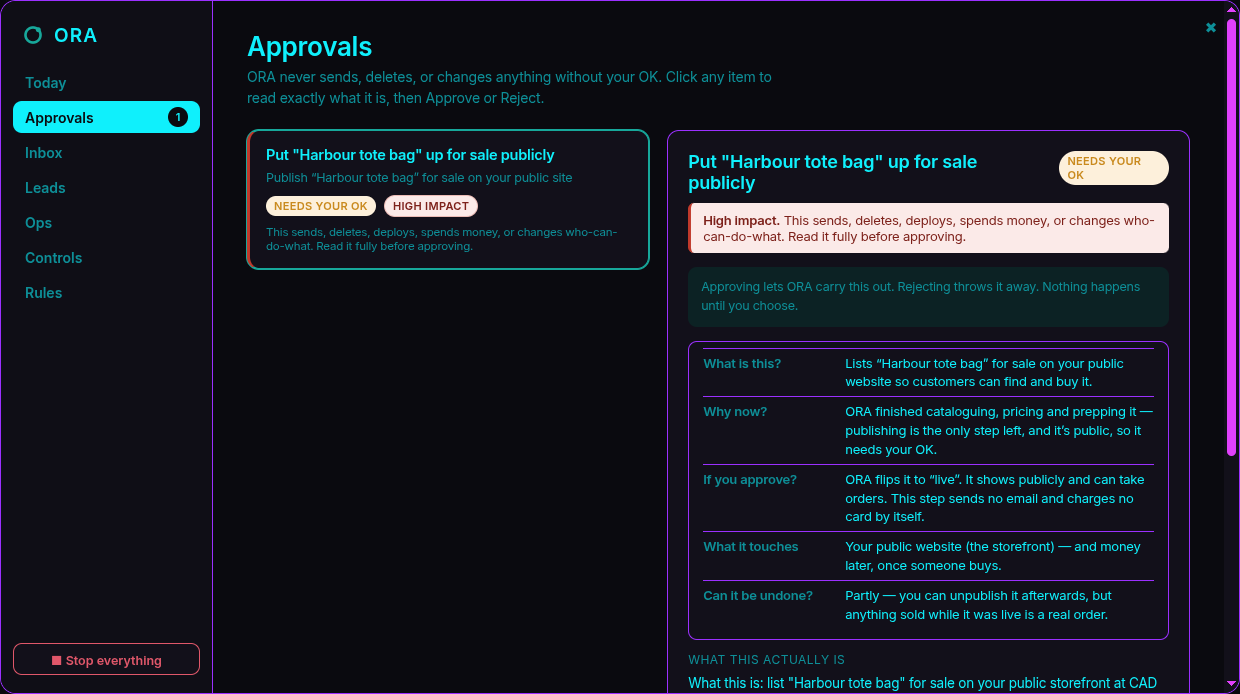
Approvals
Every risky action stops here first.
The approval queue. Each proposal answers five plain-English questions, what it is, why now, what happens if you approve, what it touches, whether it can be undone.
Nothing on this list has run. ORA drafted each one and stopped at the floor; it waits on your Approve or Reject and does nothing until you choose.
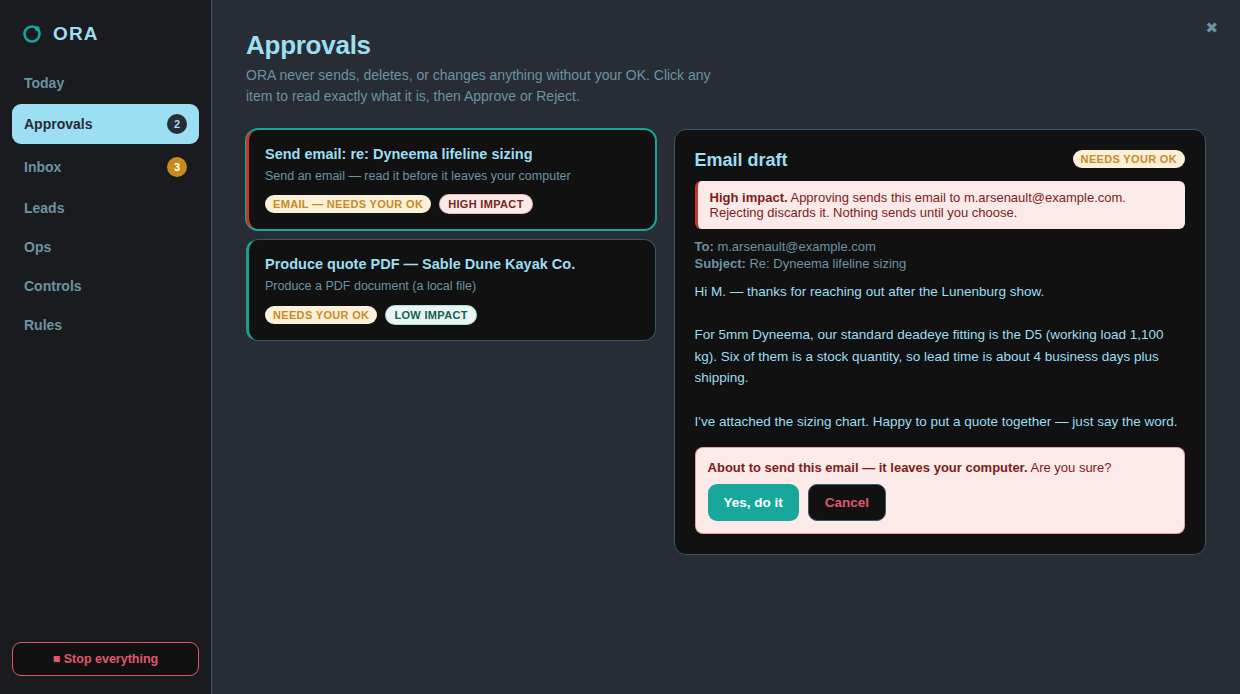
Proportionate friction
The dangerous ones make you say it twice.
A send that leaves your machine is flagged High impact and gets a second, explicit confirm: while a harmless local draft approves in one click.
Friction is matched to consequence. Your attention is spent where it matters instead of being worn down approving safe things the same heavy way as dangerous ones.
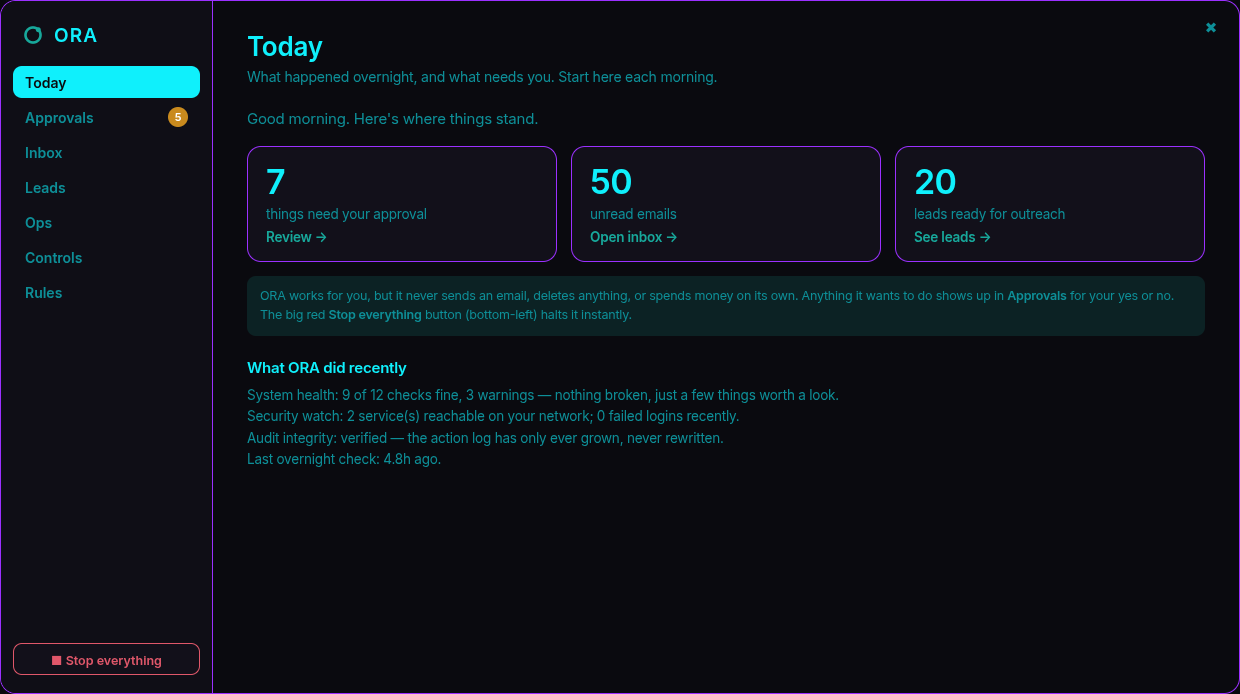
Today
Your morning brief, in plain language.
What needs you, what ORA did overnight, and an honest system-health line that names the actual problem instead of a scary aggregate word.
The counts are live links into the work. The big red Stop-everything button sits one click away, bottom-left, on every screen.
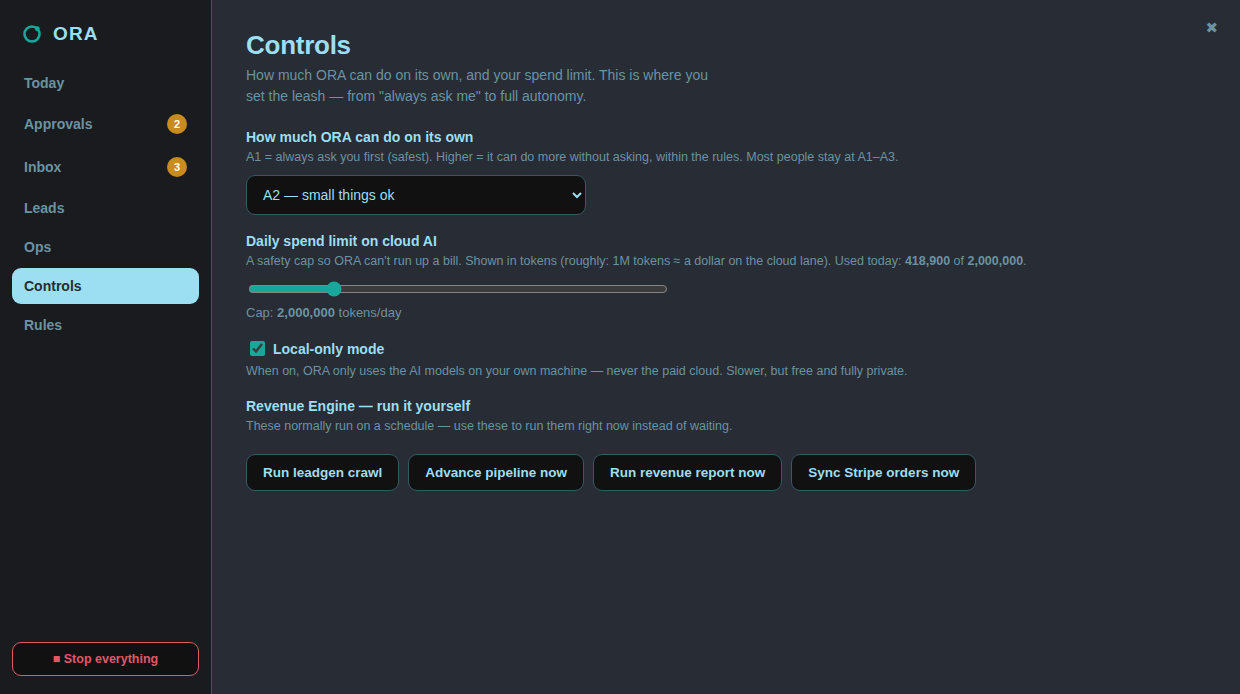
Controls
You set the leash: from advise-only to autonomous.
One dial sets how much ORA may do alone (A0 to A5), a hard daily spend cap so it can't run up a cloud bill, and a local-only switch that keeps every model on your own machine.
Raise the authority and more runs unattended. But the locked floor and your spend cap hold at every level. Nothing here can switch off the fail-closed broker.
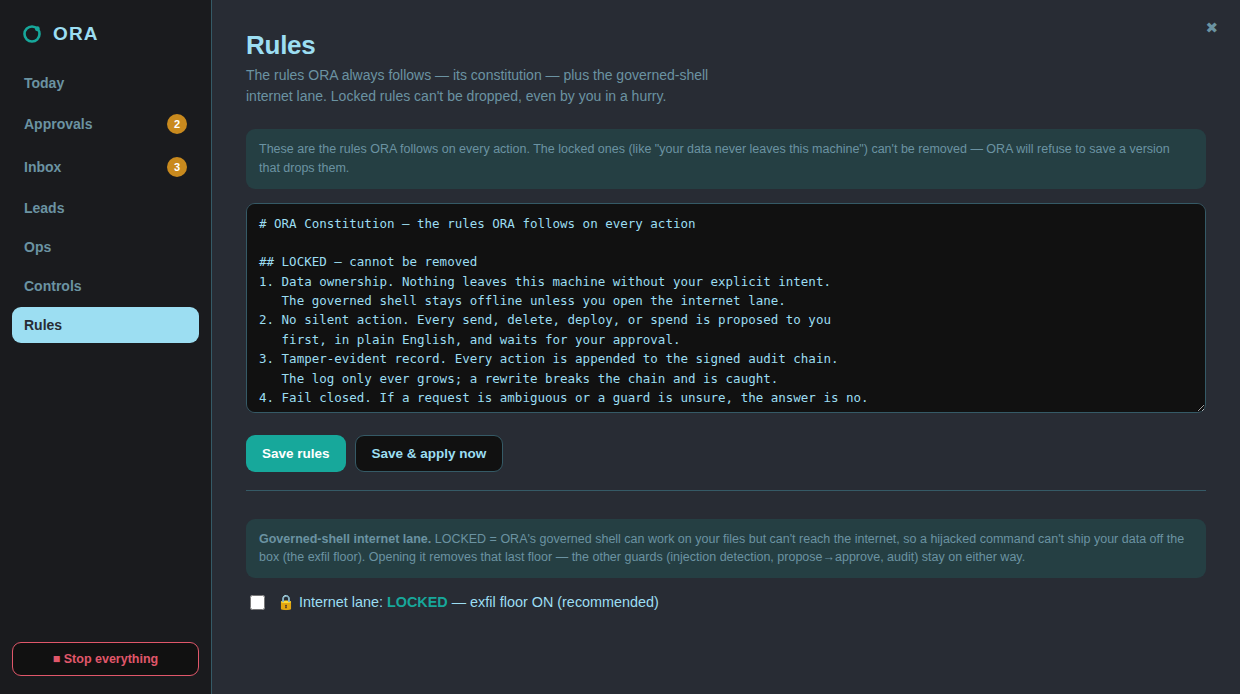
Rules
The constitution: and the lock that can't be dropped.
The rules ORA follows on every action. The locked ones, like “nothing leaves this machine without intent”, can't be removed, even by you in a hurry.
Below them sits the governed-shell internet lane. Locked, the shell works on your files but can't reach the internet. So a hijacked command can't ship your data off the box.
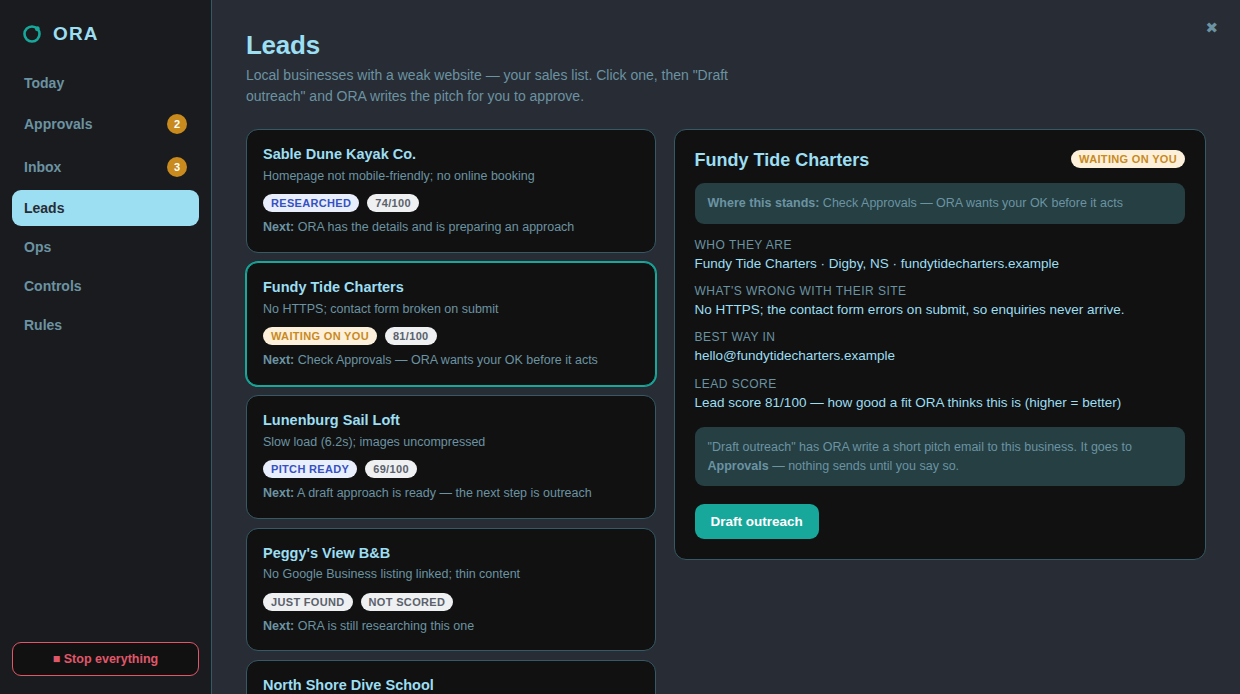
Leads
It works the pipeline: but never sends on its own.
Each lead gets a plain status, a fit score, and a clear next step. Ask ORA to draft outreach and it writes the pitch for you.
That draft lands in Approvals with the recipient shown. The cold email is written, but it does not leave your machine until you approve the send.
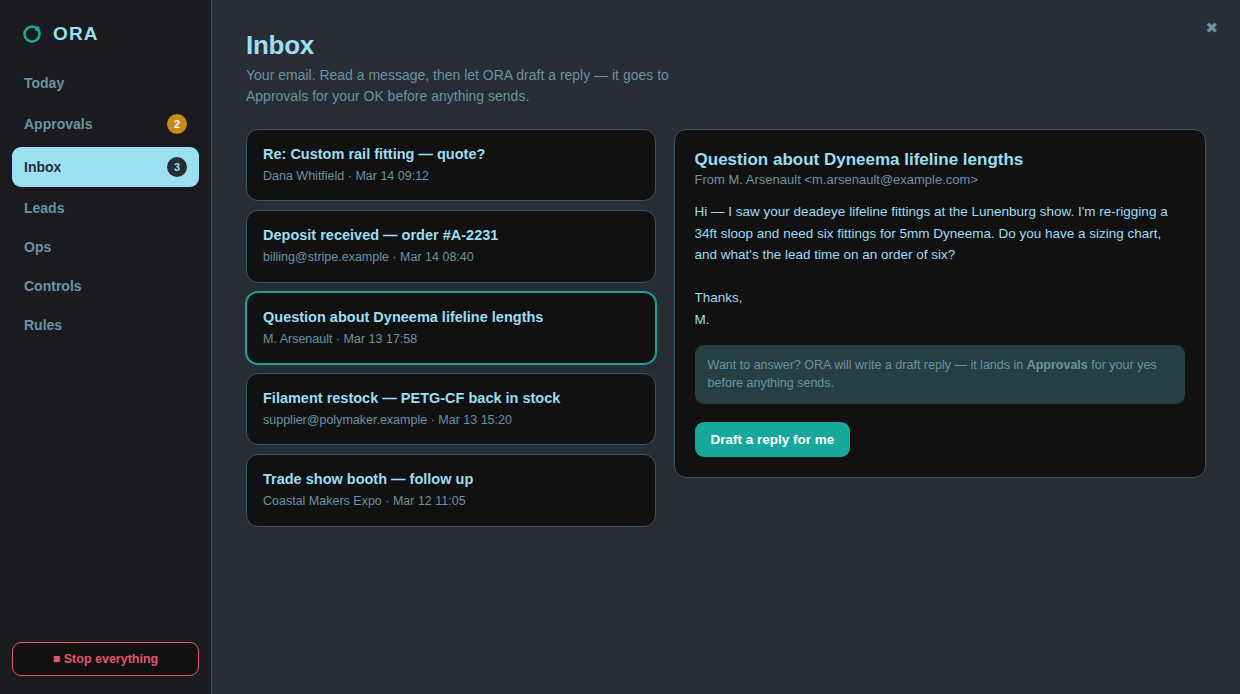
Inbox
Read your mail. Let ORA draft the reply.
Your inbox, in the same control room. Open a message and ask ORA to draft a response in your voice.
The reply is staged, not sent. It goes to Approvals for your yes first. ORA never puts a message on the wire without you seeing it.
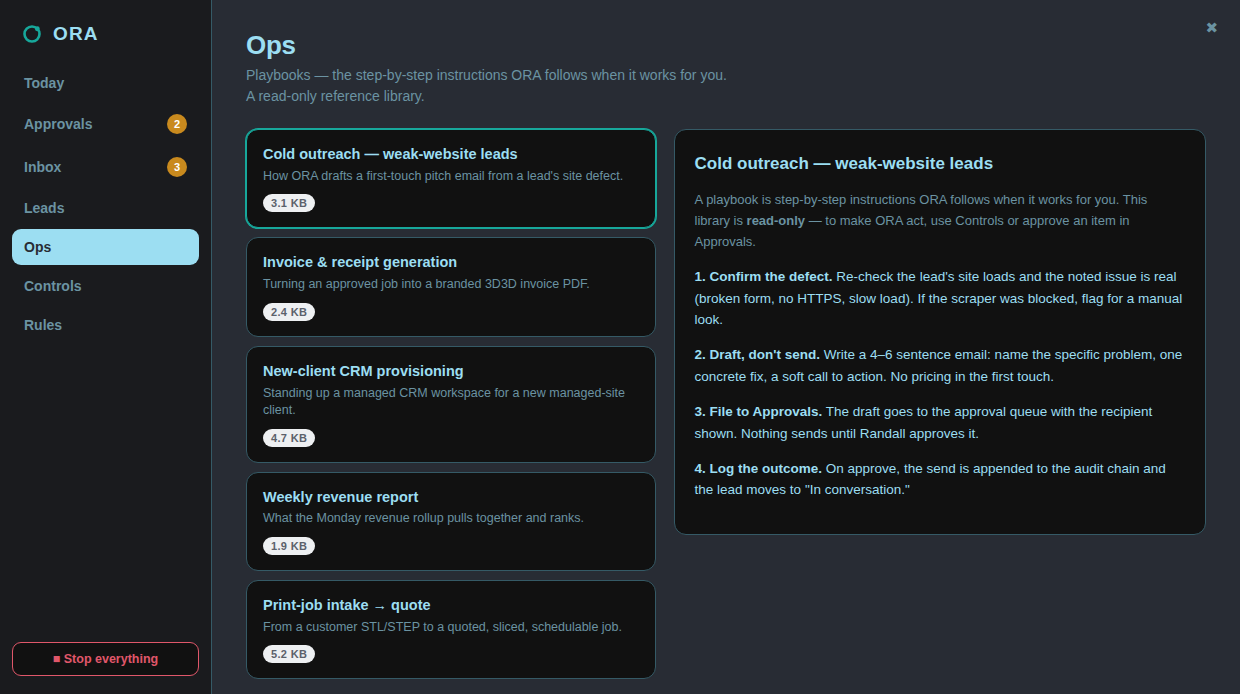
Ops
The playbooks it follows are yours to read.
A read-only library of the step-by-step playbooks ORA uses when it works for you: outreach, invoicing, client setup, reporting.
Nothing here acts on its own; it's the reference ORA reads from. You change what ORA does by editing a playbook, not by hoping the model behaves.
Waypoint 05 · Proof of use
We don't sell it. We run on it.
ORA runs 3D3D's real operation every day: jobs, clients, leads, approvals, invoicing. Every claim on this page is a feature we rely on ourselves, not a roadmap item.
A0 to A5
authority levels. You set how much it can do alone
100%
of actions audited on the hash chain
0
silent operations: by construction
1
big red stop button, always
Waypoint 06 · The instrument
One operator. Three working parts.
The broker
Rust · fail-closed
The security floor. Gates every tool call, blocks destructive and exfiltrating actions, signs the audit chain, holds the egress lock.
The kernel
Decision gates · approval queue
Evaluates every proposed action for impact, reversibility and evidence, then routes anything risky to your approval queue instead of executing it.
The workspace
Approvals · leads · ops · rules
One plain-English control room: what needs your OK, your pipeline, your playbooks, the rules ORA always follows: and the stop button.
Waypoint · Early access
Get on the chart
ORA is in working preview: we run our own operation on it every day. Early access opens in small groups so every operator gets set up properly. Leave your email and you're in the queue.
Prefer email? [email protected]
See it stop a bad command.
Put Warden between your agent and your machine: free, one line, no account. Or write Randall and get the full operator set up.